Frequently Asked Questions | MyFastSnaps
Below you'll find answers to the most common questions about both the MyFastSnaps photo label printer and the Journal Grid Generator. If you don't see your question here, feel free to reach out on our Contact page — we'd love to hear from you!
3/17/20264 min read
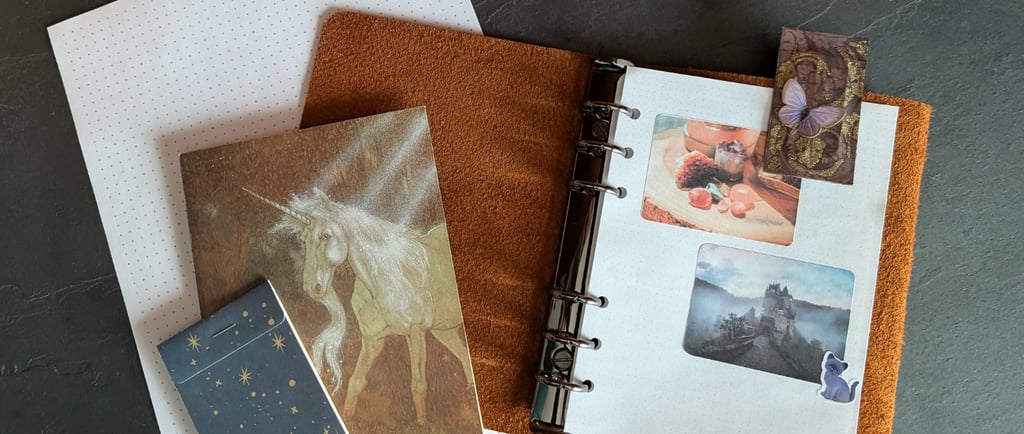
Photo Label Printer FAQs
What is the MyFastSnaps Photo Label Printer?
MyFastSnaps Photo Label Printer is a free, browser-based photo label printing tool. It lets you copy, paste, or drag your photos directly onto a label sheet template and generate a print-ready PDF — no account, no download, and no design experience required. It’s perfect for making photo stickers for your crafting and journaling needs.
How do I use MyFastSnaps’ Photo Label Printer to print photo labels?
Choose your label sheet size from the available templates, upload or paste your photo into the label grid, and click Print. Your browser will generate a print-ready layout you can send directly to your home printer. The whole process takes under a minute.
Is MyFastSnaps really free?
Yes, it's completely free. Eventually I’m hoping to support the website with ads, but there are no subscriptions, no hidden fees, and no sign-up required. Just open the tool and start printing!
Do I need to create an account?
No account needed. Both the Photo Label Printer and Journal Grid Generator on MyFastSnaps work entirely in your browser with no login, no registration, and no personal information required.
What label sheets work with MyFastSnaps?
MyFastSnaps is designed to work with standard label sheets you can buy at any office supply store, including popular Avery label formats. If you have a specific brand or template number we don’t carry yet, you can request it via our Contact page and we’ll try our best to add it.
What label sheets work best for sticker printing?
Look for label sheets with thin strips of “padding” (ie: blank space) between labels: this will help account for the “bleed” that makes sure your photos print to the very edge of each sticker.
Even though Photo Label Printer works with most types of labels, the results will look better when there’s a slight border around the edge of each sticker.
What size photos can I print?
MyFastSnaps supports a range of label sizes, from small wallet-sized photos to larger label formats. The template you choose determines the photo dimensions — the tool fits your image to the label size automatically. The only limit is your choice of labels!
What resolution will the tool export and print at?
We've updated the Photo Label Printer tool to export and print at a whopping 600 dpi! That means for higher resolution for those who have photo-quality printers like the Epson ET 2000-8000 series.
**Please be aware that any images you import must have at least the same quality when printed at the height and width of your chosen label size. For instance, if you have a tiny 1" x 2" image at 72 dpi and you try to print it to a label of the same size (or larger), you will not get a higher quality image. This should not be an issue for most photos or images you'll be printing, as they're often scaled down from large images to fit into the smaller label size templates.
Can I print multiple photos at once?
Yes. Each label sheet template fills the entire page, so you can print one image at a time, one or more images repeated across multiple labels, or use different images in each slot depending on the template.
What printer do I need?
Any standard home inkjet or laser printer works. For best results, use a printer that supports borderless printing or that you can manually set to match your label sheet dimensions. Most libraries also offer color laser and inkjet printing – just bring your own label sheets!
Can I use MyFastSnaps for scrapbooking and journaling?
Absolutely — that's one of the most popular uses! MyFastSnaps is a favorite among crafters, journal keepers, and scrapbookers who want to print small photo stickers and decorative labels at home without expensive equipment or software.
Does MyFastSnaps work on mobile?
Yup! Both apps (Photo Label Printer and Journal Grid Generator) work from your smart phone. However, MyFastSnaps is designed primarily for desktop use, since printing from a phone or tablet can be tricky depending on your device and printer setup. For the smoothest experience, use a laptop or desktop computer.
Is my data safe? Does MyFastSnaps store my photos?
Your data and photos are absolutely safe: Your photos never leave your device! MyFastSnaps processes everything locally in your browser — nothing is uploaded to any server.
Printable Journal Grid Generator FAQs
What is the MyFastSnaps Journal Grid Generator?
The Journal Grid Generator is a free, browser-based tool that lets you design and print custom dot grid, square grid, or lined paper pages at home. You choose your paper size, pattern type, spacing, and color — then print directly to PDF with one click.
What pattern types can I create?
The tool currently supports three pattern types: dot grid, square grid, and lined paper. You can customize the density, line weight or dot size, and color of any pattern.
What paper sizes does the generator support?
You can generate pages for Letter (8.5 x 11 in), Legal (8.5 x 14 in), A4, A5, or a fully custom size of your choosing. Both inches and centimeters are supported as base units.
Can I change the color of my grid or dot pattern?
Yes! The tool includes a color picker so you can set your pattern to any color you like — whether that’s classic light gray, a soft pastel, or something bold and custom. You can even use your brand colors!
How do I print my finished pattern page?
Click the "Print to PDF" button and the tool will open a print-ready version of your page in a new tab. From there you can save it as a PDF or send it directly to your printer.
Is the Journal Grid Generator free to use?
Completely free — no account, no download, no subscription required.
What can I use these printable pages for?
These pages are popular for bullet journaling, planners, art journaling, sketchbooks, and bookbinding projects. If you use your own paper or want custom sizes for a handmade notebook, this tool lets you print exactly what you need.
Do I need special paper or a special printer?
No special equipment needed. Any standard home printer works. For journal and planner inserts, many crafters prefer to print on slightly heavier paper stock (like 24lb or 28lb), but regular printer paper works just fine too.